这是一个基本的网站注册界面的HTML和CSS代码示例。请注意,这只是一个简单的示例,实际的注册界面可能需要更复杂的前端和后端逻辑来处理用户输入和验证。此外,密码应该被安全地存储和传输,这通常涉及到使用HTTPS和其他安全措施。
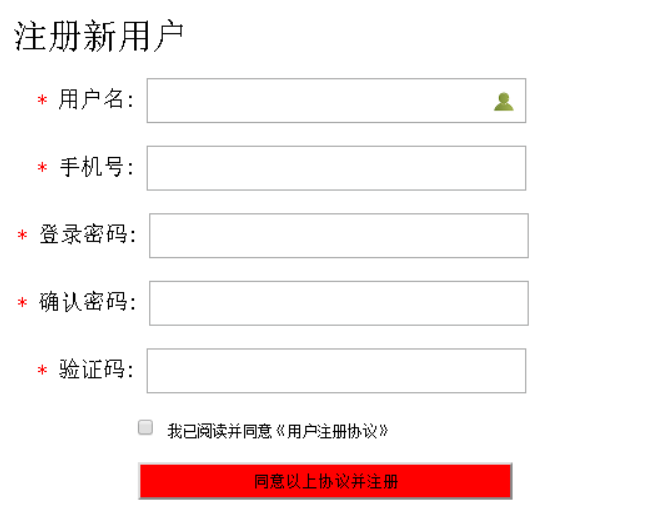
HTML代码:
<!DOCTYPE html>
<html>
<head>
    <title>注册页面</title>
    <link rel="stylesheet" type="text/css" href="styles.css">
</head>
<body>
    <div class="register-container">
        <h2>注册</h2>
        <form action="/register" method="post">
            <div class="input-group">
                <label for="username">用户名:</label>
                <input type="text" id="username" name="username" required>
            </div>
            <div class="input-group">
                <label for="password">密码:</label>
                <input type="password" id="password" name="password" required>
            </div>
            <div class="input-group">
                <label for="email">电子邮件:</label>
                <input type="email" id="email" name="email" required>
            </div>
            <button type="submit">注册</button>
        </form>
    </div>
</body>
</html>
CSS代码(styles.css):
body {
    font-family: Arial, sans-serif;
}
.register-container {
    width: 300px;
    margin: 0 auto;
    padding: 20px;
    border: 1px solid #ccc;
    border-radius: 5px;
}
.input-group {
    margin-bottom: 10px;
}
label {
    display: block;
    margin-bottom: 5px;
}
input[type="text"], input[type="password"], input[type="email"] {
    width: 100%;
    padding: 10px;
    border-radius: 5px;
    border: 1px solid #ccc;
}
button[type="submit"] {
    width: 100%;
    padding: 10px;
    background-color: #4CAF50;
    color: white;
    border: none;
    cursor: pointer;                              border-radius: 5px;  border: none;  outline: none;  box-shadow: none;  transition: all 0.3s ease;  background-color: #4CAF50;  color: white;  text-align: center;  padding: 16px 20px;  cursor: pointer;  }
button[type="submit"]:hover { background-color: #45a049; }
button[type="submit"]:active { background-color: #f1f1f1; color: black; padding: 16px 20